


Data is synced from the Chrome Web Store. View the official store page for the most current information.
Hand-picked for quality and usefulness
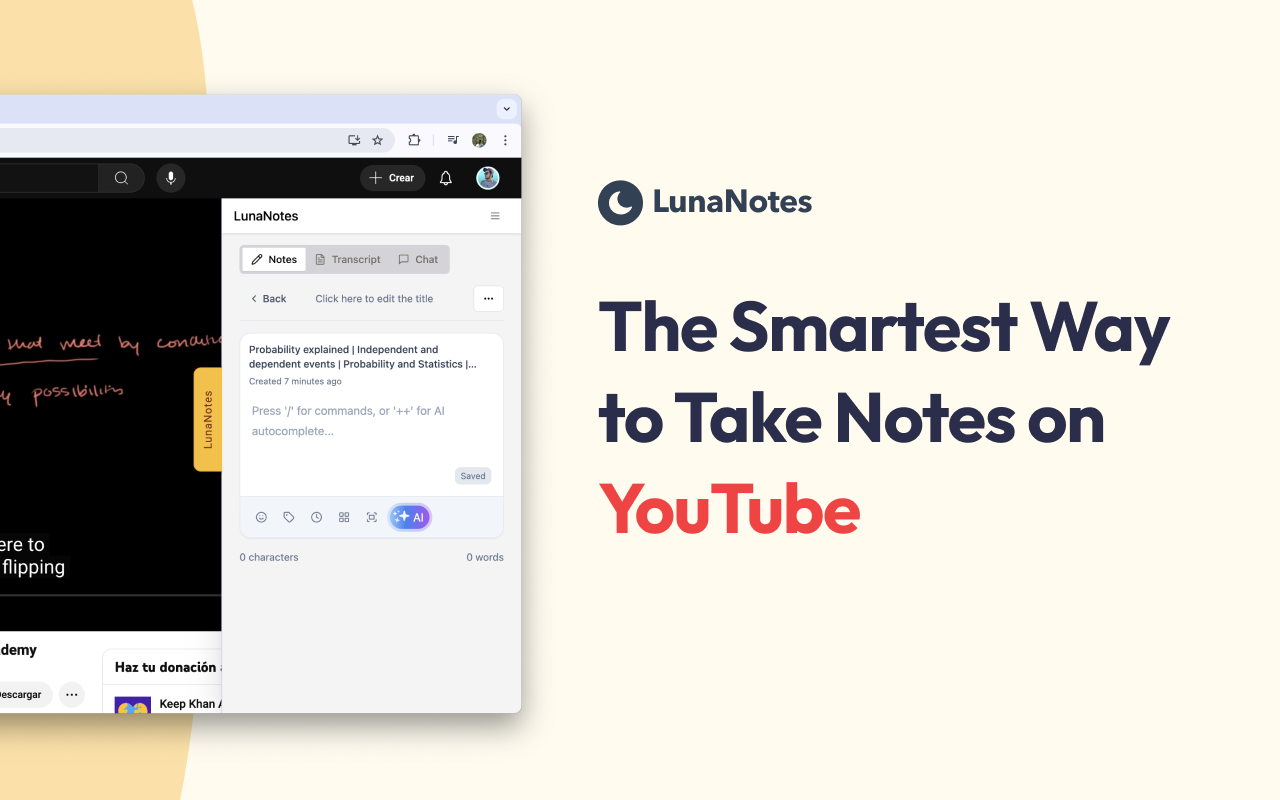


🌟 Take smarter notes with AI. Capture ideas, summarize YouTube videos, and create flashcards & diagrams instantly.
LunaNotes is the all-in-one learning platform trusted by 12,000+ students, teachers, and professionals worldwide. Transform how you learn with intelligent note-taking, AI assistance, and powerful study tools—all in one place.
✨ Why Choose LunaNotes 📝 Comprehensive Note-Taking
Unlimited notes from videos, lectures, articles, or your own ideas Rich text editor with formatting, code blocks, tables & markdown Real-time auto-save—never lose your work Organize with unlimited tags and folders Access anywhere—desktop, mobile, or tablet
🤖 AI Learning Assistant
Chat with AI that understands your entire knowledge base Get instant explanations of complex concepts Generate summaries, outlines, and study materials automatically Improve writing with AI grammar checking and text enhancement Ask questions and get contextual answers from your notes
🎥 Seamless YouTube Integration
Take timestamped notes while watching educational videos Auto-pause stops playback when you start typing Click timestamps to jump to exact moments Capture and annotate video screenshots Import transcripts for comprehensive study materials
🧠 Active Learning Tools
Generate AI flashcards from notes for exam prep Create visual diagrams to understand complex topics Build custom study guides from multiple sources Interactive quiz mode for self-testing Perfect for spaced repetition learning
🚀 Perfect For Every Learner Students Organize lecture notes, create exam materials, build your knowledge library, ace your studies Teachers & Educators Plan lessons, create resources, share materials, organize curriculum Professionals Document meetings, organize training, build knowledge bases, develop skills Content Creators Research topics, plan videos, organize ideas, develop scripts
💡 Key Features Smart Organization ✓ Unlimited notes, videos, and tags ✓ Powerful search across all content ✓ Filter by date, tag, or video source ✓ Templates for quick start (lectures, meetings, study guides) ✓ Export to PDF and Markdown AI-Powered Tools ✓ Conversational AI chat for learning support ✓ Automatic text completion and suggestions ✓ Content summarization and keyword extraction ✓ Diagram and flowchart generation ✓ Flashcard creation for active recall Cross-Platform Access ✓ Chrome extension for YouTube integration ✓ Web app accessible from any browser ✓ Mobile-responsive design ✓ Cloud sync across all devices
Download LunaNotes today and unlock the power of AI-assisted knowledge capture and collaboration. 📚💬
For a detailed list of app updates and changes, please refer to our blog.
CHANGELOG: nov/25/2025: Resize and reposition LunaNotes Panel Nov/5/2025: LunaNotes v2 release! aug/10/2024: Show notes on youtube player aug/06/2024: Fix internal errors and make the app more performant jul/19/2024: Sync session between web app and extension mar/31/2024: Fix yellow button error on inline design sep/20/2023: Improved video page design, added dedicated Notes and Tags pages, enhanced note editor with auto-save, introduced AI completions, and more! aug/20/2023: Fixing new design height aug/15/2023: New Image editor may/04/2023: New signup wizard jan/06/2023: Fixing the taking screenshot feature aug/27/2022: Bug fixing, preventing creating duplicated tags aug/25/2022: Dark mode support! aug/16/2022: Fixed tags removing after editing note title and tags being duplicated aug/11/2022: You can now add tags to the notes jul/28/2022: Bugfixes, you can now write code with the new code block option jul/20/2022: You can now reset your password jul/10/2022: Added the feature to edit the title of the video. jul/05/2022: New UI, Wiew the list of videos in which you have added notes within any video. jan/15/2022: Fixed UI errors. jan/09/2022: Improved UI, improved note editor style and made tons of internal improvements. nov/29/2021: fixed some translations. nov/28/2021: Improved UI, added a fluid container for the app inside YouTube. nov/27/2021: A web application was created to manage notes outside youtube. oct/31/2021: Fixed errors that occurred when saving the note title oct/30/2021: New note animation and fixed a bug that caused previous notes not to be updated when creating a new note
DISCLAIMER This extension is NOT made by Google or YouTube, it is created by Fernando de la Rosa, @jfdelarosa on X.
LunaNotes is not owned, licensed and is not an affiliate of YouTube or Google Inc.
Track and analyze Chrome Web Store extensions with comprehensive analytics and insights.

